Buy IPTV: How to Order, Pay Safely and Start Watching Within Minutes
Buy IPTV the careful way: how to pick a plan, which payment methods confirm at once, what arrives after you pay and how the 7-day refund covers a first order.
You have decided to buy IPTV, and now the practical questions start. Who do you pay, by which method, and what do you actually get once the money has gone? Many sellers say very little about the purchase itself, and that is exactly when a household in Malta or Gozo wants clear answers and someone to ask.
This guide follows the purchase from start to finish: the checks to make before paying, how to choose the length and the number of screens, the full price grid, every payment method and how long it takes to confirm, the four steps of an order, what you receive and how the refund works. When you buy an IPTV subscription this way, nothing is left to guesswork.
If you would rather test before reading on, the free trial page explains both trials, and the plans are set out in the IPTV Malta pricing. How lengths, screens and renewals work in general is explained in the guide to the IPTV subscription.
Support in English, 24 hours a day, 7 days a week.
No contract, no activation fee, from €3.96 a month.
What does it mean to buy IPTV?
To buy IPTV is to pay for television delivered over the internet, for a period fixed in advance. Nothing is posted to your address. You receive access to live channels, a TV guide and a library of movies and series in an app on your own screen, and the whole order fits in one chat.
You are not paying for the app, which costs nothing extra, but for the line behind it. Every plan of our subscription has the same content: more than 34,000 live channels, more than 90,000 movies and series, streams in Full HD, HD and SD, and catch-up. Only the length and the number of screens change the price.
Every purchase comes down to three elements:
- The plan: a length from 1 to 24 months and 1, 2 or 3 screens playing at the same time.
- The payment: one amount for the whole period, by card, PayPal, Revolut, Apple Pay, Google Pay, Wise, bank transfer or cryptocurrency.
- The activation: your line linked to your device remotely, within minutes of the payment being confirmed.
Buy IPTV: five checks before you pay
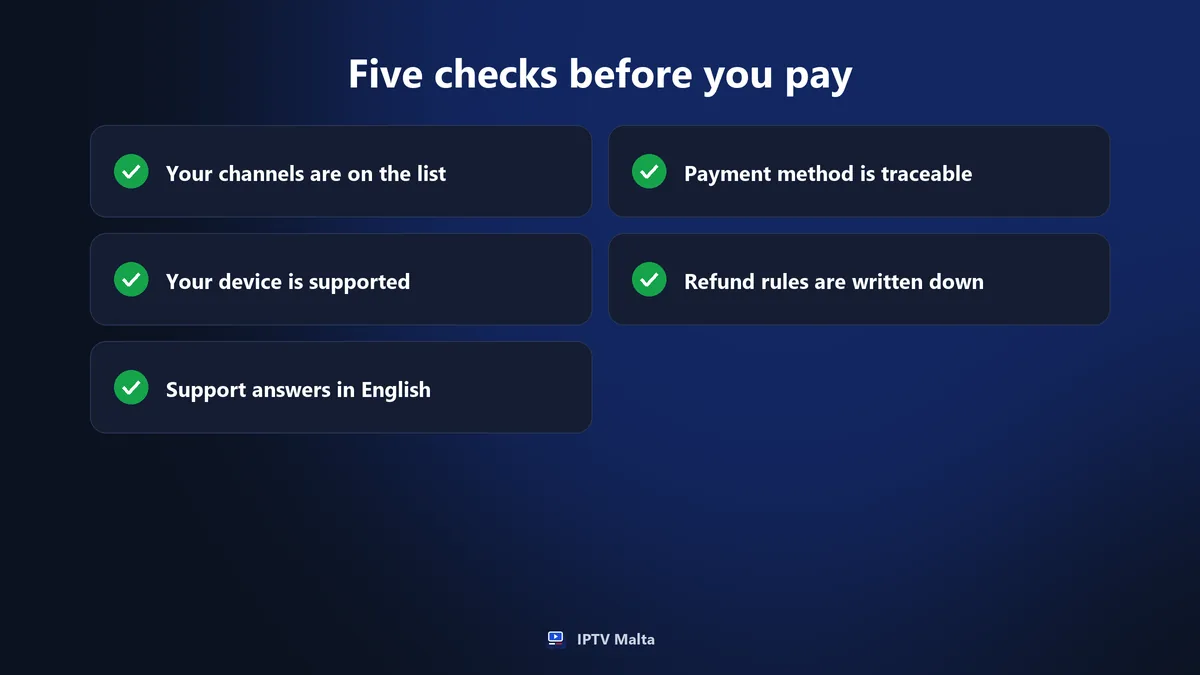
These five checks apply to any seller, ours included.
1. Ask for the channel list
A channel count on a home page tells you nothing about your evenings. Ask for the list itself and look for the groups you use: Maltese, Italian and UK channels, your sports, the kids’ section. We send ours on WhatsApp, and we never promise a specific channel you have not been able to check.
2. Confirm that your device is supported
Give the exact television, stick or box you plan to use. Samsung and LG Smart TVs, Android TV, Google TV, Fire TV Stick, Apple TV, MAG boxes, phones, tablets, Windows and Mac are all supported. If your model is old or unusual, mention it before you pay, not after.
3. Test the support with a real question
Send a message in the evening and see how long the reply takes, and whether it actually answers you. A seller who stays silent before taking your money will not reply faster afterwards. Our support works in English on WhatsApp, 24 hours a day, so the test costs you nothing.
4. Pick a payment method you can trace
Card, PayPal and Revolut leave a clear record and are confirmed immediately. Bank transfer and cryptocurrency also work, but they take longer to confirm and are harder to reverse. Whichever you choose, keep the confirmation and the conversation: together they are your proof of purchase.
5. Read the refund conditions
Look for written conditions, not a vague “satisfaction guaranteed”. Ours are on the refund policy page: 7 days on every new subscription, requested after a first exchange with support. Renewals and the 24-hour trial are not covered, and you should know that before you order.
Test first: the two trials
The safest way to buy IPTV is to try it first. Both trials open the full service. Run yours in the evening, when the household watches most, because a stream that holds at 15:00 can struggle at 21:00.
The free 1-hour trial
One hour is enough to install the app, browse the groups and check that the Maltese, Italian and UK channels you watch are there. There is one free trial per customer, so run it on the device you mean to keep, at a time when you can actually sit in front of it.
The 24-hour trial for €2.95
A full day shows you what an hour cannot: a match in the evening, the news in the morning, the picture in the far room. The €2.95 is deducted from your first subscription, so it costs you nothing extra if you buy. The full test method is in the guide to the best IPTV.
€2.95, deducted from your first subscription.
How to choose the length of your plan
The length moves the price more than anything else. The content never changes, so the only question is how sure you are.
1 to 6 months: confirming the service
At €14, one month for one screen takes you through a full cycle of weekdays and weekends. Three months cost €29 and six months €38, which suits a football season, a work contract on the islands or a long summer in Gozo, without committing you for a whole year.
12 months: the usual choice
Most subscribers choose the 12-month plan. For one screen it costs €57, which works out at €4.75 a month, paid once for the whole year. Most people take it after a trial or a first month has answered their questions about stability and channels.
24 months: for those already convinced
The lowest rate, €3.96 a month for one screen, comes with the longest period. Keep it for when you have tested the service on your own connection over a few busy evenings, and you know it suits the way your household watches.
How many screens to pay for
A screen is a device playing at the same time, not a device with the app installed. On a 1-screen plan, the TV, a phone and a tablet can all have the app, but only one of them plays at a time.
Count the evenings, not the devices
Think of the busiest moment of the week. If the match is on the main television while someone watches a series upstairs, you need two screens. If everyone gathers in one room, one screen is enough, however many phones the household owns. Changing device later costs nothing.
Quick table
| Household | Screens at once | Plan to consider |
|---|---|---|
| One person or a couple | 1 | 1 screen |
| Family with two TVs | 2 | 2 screens |
| Home plus a holiday flat | 2 or 3 | 3 screens |
| Flat in Malta, family abroad | 2 | 2 screens |
Buy IPTV: the full price grid in euros
Each price is a single payment for the whole period, with no activation fee, no contract and no automatic renewal.
| Length | 1 screen | 2 screens | 3 screens |
|---|---|---|---|
| 1 month | €14 | €25 | €29 |
| 3 months | €29 | €49 | €79 |
| 6 months | €38 | €69 | €98 |
| 12 months | €57 | €95 | €129 |
| 24 months | €95 | €179 | €249 |
Spread over the period, one screen costs €14, €9.67, €6.33, €4.75 or €3.96 a month. For two screens the figures are €25, €16.33, €11.50, €7.92 and €7.46; for three screens, €29, €26.33, €16.33, €10.75 and €10.38.
What the price includes
The price includes the iBO Player app, an M3U link or Xtream Codes login for another player, installation help, the TV guide, catch-up and support. There is no box to rent and no deposit, and channel updates reach you without you doing anything.
What you will not be charged
Nothing is taken when the period ends, because there is no automatic renewal, and there is no cancellation fee: access simply stops on the expiry date. Changing device is free as well. If any seller adds charges after you have paid, stop there and do not pay them.
Tell us the length and screens you want.
How to pay when you buy IPTV
We accept nine payment methods. They differ mainly in how fast the payment is confirmed, and that decides when your line is activated.
| Payment method | Confirmation | Good to know |
|---|---|---|
| Card (Visa, Mastercard) | Immediate | Clear record on your statement |
| PayPal | Immediate | No card details shared with the seller |
| Revolut | Immediate | Handy if you already use the app |
| Bank transfer | Two to three hours | Order well before a match |
| Cryptocurrency (USDT, Bitcoin) | Two to three hours | Check the amount and network twice |
Apple Pay, Google Pay and Wise are accepted too; support confirms how long they take when you order.
Paying just before a match
If kick-off is at 21:00 and you order at 20:30, pay by card, PayPal or Revolut. A bank transfer or a crypto payment takes two to three hours to confirm, so it suits a calm order in the afternoon, not one made as the teams walk out.
Keep the proof of payment
Save the payment confirmation or a screenshot of the transaction, and keep the WhatsApp conversation. When you renew, move to a new device or ask for a refund within the 7 days, those two records answer most questions straight away.
Buy IPTV in four steps: from first message to first channel
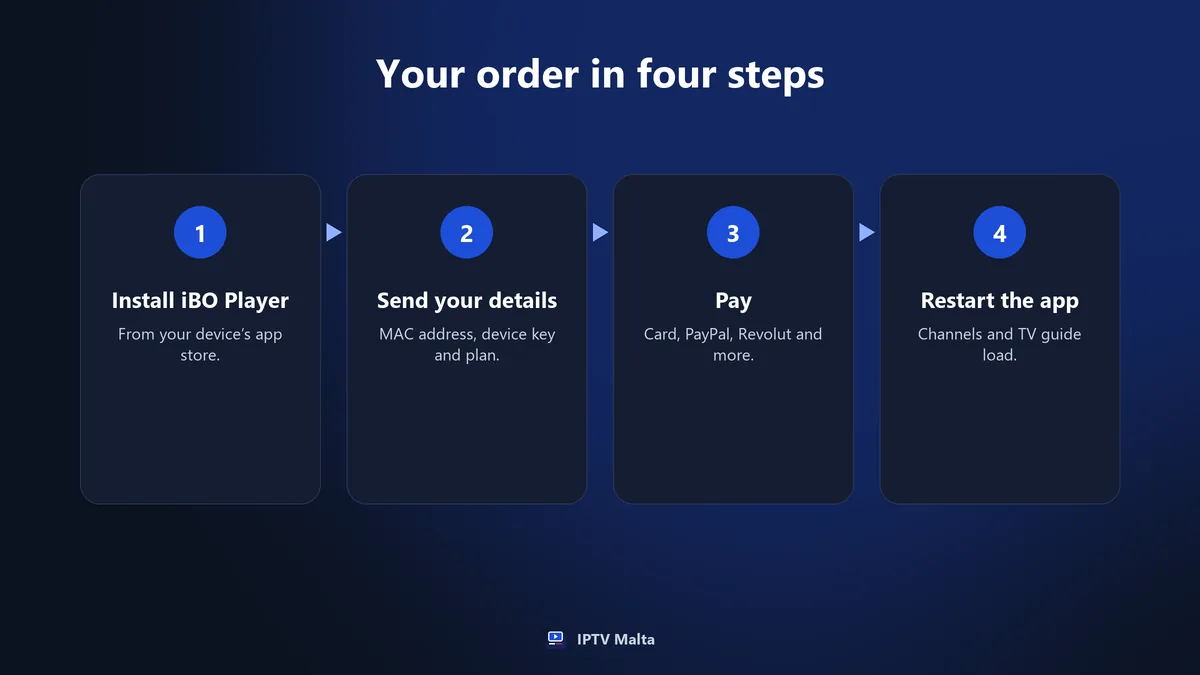
On the device side, an order takes about five minutes. If you want to prepare, each device has its own page in the installation guide.
Step 1: install iBO Player
Search for iBO Player in your device’s store: Samsung, LG, Google Play or the App Store. On a Fire TV Stick or Android TV, open the Downloader app and enter the code 481220. With the app installed first, you already have what support needs.
Step 2: send your device details and your choice
When it first opens, the app shows a MAC address and a device key. Take a photo of the screen and send both on WhatsApp with the length and number of screens you want. The two values identify your device and nothing else.
Step 3: pay with the method you prefer
Choose from card, PayPal, Revolut, Apple Pay, Google Pay, Wise, bank transfer or cryptocurrency. Card, PayPal and Revolut are confirmed immediately; bank transfer and cryptocurrency take two to three hours. One payment covers the whole period, and nothing is taken later.
Step 4: restart the app and check your groups
Once the payment is confirmed, the line is activated within minutes and linked to your device remotely. Reopen the app, let the channels, TV guide and library load, then add your daily channels to your favourites. If anything looks wrong, say so in the same chat.
What you receive after you pay
Once the line is active, this is what you have.
- Live channels: more than 34,000, sorted by country and by theme, with a TV guide and catch-up.
- On demand: more than 90,000 movies and series, mostly with English audio and often in Italian as well.
- Support: the same WhatsApp chat, in English, 24 hours a day, 7 days a week.
A line ready in the app
In iBO Player there is nothing to type. Channels appear sorted by country and by theme: general entertainment, news, sports, movies, series, kids, documentaries and music. They come with a TV guide and catch-up, next to a library that adds new titles every day.
Login details for another player
If you prefer another app, you get the same line as an M3U link or an Xtream Codes login. Players such as IPTV Smarters or TiviMate accept both. That helps on a computer or a second device, or if you simply like a different layout.
Free playlist, anonymous seller or maintained service
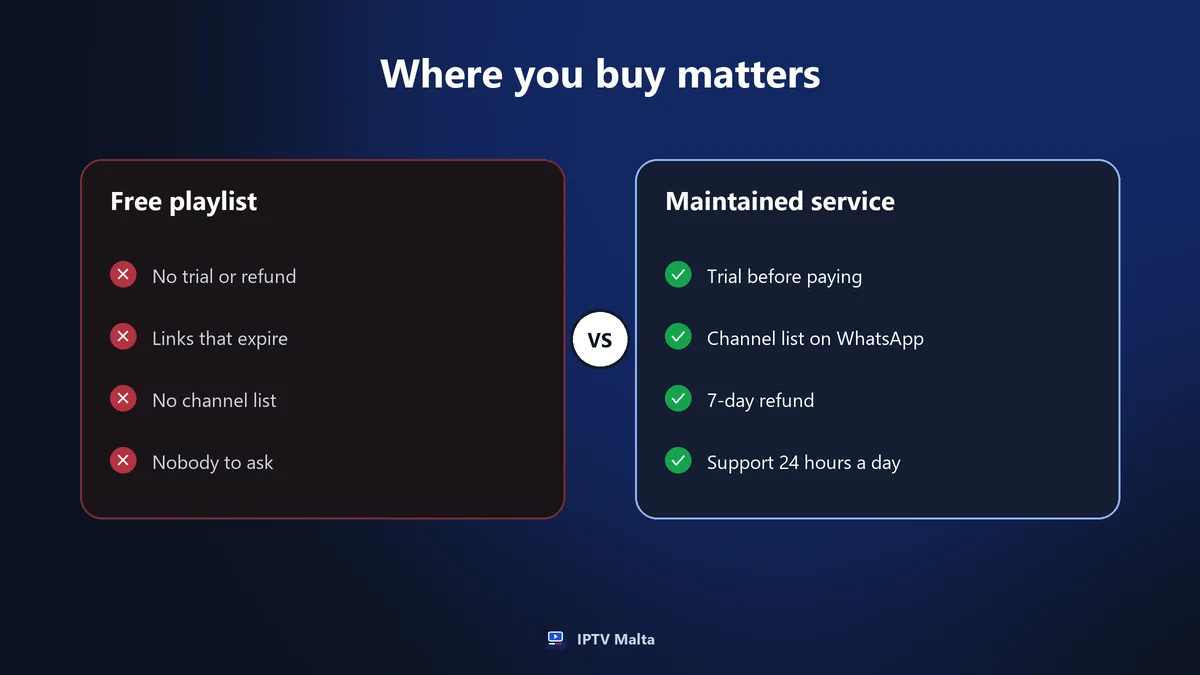
Price is only one part of buying. This table compares three routes on what matters at the moment of purchase.
| Point | Free playlist | Anonymous one-page seller | Maintained service |
|---|---|---|---|
| Cost | Nothing at first | Often very low | From €3.96 a month |
| Trial before paying | Not applicable | Rarely | 1 hour free or 24 hours for €2.95 |
| Payment methods | None | Often a single one | Card, PayPal, Revolut and more |
| Channel list first | No | Rarely | Sent on WhatsApp |
| Refund | None | Seldom written | 7 days on new subscriptions |
| Support after paying | None | Uncertain | WhatsApp, 24 hours a day |
A free playlist costs nothing until the screen goes black at kick-off, and an anonymous seller can stop answering after a few weeks. How to judge the people behind a service is covered in the guide to IPTV providers.
One free 1-hour trial per customer.
Paying safely: your money and your data
When people buy IPTV online, most problems come from careless payments, not from the television.
Keep card details out of chats
Never type a card number, expiry date and security code into a message, for this purchase or any other. Anyone who sees the conversation can copy them. Use a payment method that keeps those details inside your bank or wallet app, and check the amount against the price grid before you confirm.
Your MAC address is not a password
The MAC address and device key shown by iBO Player identify the screen so that the line can be linked to it. They do not open your Wi-Fi, your accounts or your files. Sending them is a normal part of the order; no seller needs a password.
Warning signs on a seller’s page
None of these proves a scam on its own, but each one is a reason to slow down.
“Lifetime” or “unlimited” offers
No service can honestly promise access for ever. Servers, bandwidth and support cost money every month, so a one-off “lifetime” price is either a misunderstanding or an exit plan. A sustainable seller sells a fixed period with a clear expiry date.
Promises of zero buffering
Every stream depends partly on your connection and your Wi-Fi, and no seller controls those. An honest page gives an uptime target and talks about redundant servers, as ours does with a 99.9% target. It does not swear the picture will never freeze.
No trial and no written terms
A seller who trusts the service lets you see it first. With no trial, no refund policy and no terms of service, you are asked to pay on trust alone. However low the price, that is too much to ask for a year of television.
The 7-day refund on a first purchase
Every new subscription has a 7-day refund. Knowing the rules in advance avoids disappointment.
How it works
Any new subscription, whatever its length or number of screens, can be refunded if you ask within 7 days. First you talk to support, and a technician tries to fix the problem. Many issues, such as weak Wi-Fi or a wrong setting, are solved in that conversation.
What is not covered
Renewals and the 24-hour trial are not covered. When you renew you already know the service, and the €2.95 trial is deducted from your first subscription anyway. Read the full wording before you order rather than after.
Buying from abroad or as an expat
The line is tied to a login, not to an address, and that changes how you can buy.
Maltese living abroad
From the United Kingdom, Australia or anywhere else, you buy exactly as you would in Malta: the same chat, the same payment methods, the same euro prices. The Maltese group opens wherever you are, and the service works with a VPN if a network filters some streams.
Expats on the islands
British, Italian, Irish, German, Swedish or Indian residents keep the channels from home, each country in its own group. With no contract and no automatic renewal, a plan can match a six-month or one-year posting, and there is nothing to cancel at the end.
1, 2 or 3 screens, from 1 to 24 months.
Check your connection before you buy
Allow this speed for each screen playing at the same time:
| Quality | Speed per screen | Typical use |
|---|---|---|
| SD | 5 Mbps | Mobile data, weak signal |
| HD | 10 Mbps | Second TV or tablet |
| Full HD | 15 Mbps | Main television |
Thick walls and Wi-Fi
Thick limestone walls weaken Wi-Fi from one room to the next, so a router that tests well in the hall can struggle in the bedroom. For the main television, an Ethernet cable, a powerline adapter or a mesh point fixes most problems before you ever need to contact support.
Data on 4G and 5G
4G and 5G work well, but watch your data: one hour in Full HD uses about 3 GB, so three hours of sport take around 9 GB. The SD version of a channel makes a mobile allowance last much longer. More on stability is in the guide to the IPTV stream.
When the period ends: expiry and renewal
It also helps to know what happens when the plan runs out.
Access stops by itself
On the expiry date the channels stop, and nothing more is charged because there is no automatic renewal. There is nothing to cancel and no notice period to remember. If you decide not to continue, you simply do nothing, and no reminder from your bank will surprise you later.
Renewing keeps your details
When you renew, your login details stay the same, so you do not set up any device again and your favourites stay where they were. Many subscribers take 12 months at renewal, once a first period has shown how the service behaves in their home.
Common mistakes when you buy IPTV
Buying 24 months on the first day
The lowest monthly rate tempts first-time buyers, but that plan should be earned. Start with a trial and then a month or a year. See how the service behaves on your connection on your busiest evenings, then take the long plan with confidence.
Paying by transfer just before kick-off
Bank transfers and cryptocurrency take two to three hours to confirm. If you order at 20:45 for a 21:00 match, you end up following the score on your phone. When time is short, pay by card, PayPal or Revolut, which are confirmed immediately.
Counting devices instead of viewers
Some households count every phone and tablet and pay for three screens they never use at once. Others take one screen for a home where two televisions are on every night. Count how many people watch at the busiest moment, and the right plan is obvious.
Skipping the channel check
The commonest regret is assuming a big channel count includes your favourites. Ask for the list, check the Maltese, Italian and UK groups during a trial, and look for the competitions you follow, such as Serie A, the Premier League or Formula 1, before you pay.
Buy IPTV: the checklist before you pay
- You have seen the channel list and found the groups you watch.
- Your device is on the compatible list.
- A trial has shown the picture on your connection in the evening.
- You know how many screens play at the same time.
- The length matches how sure you are.
- Your payment method is traceable and its confirmation time suits you.
- You have read the refund conditions.
- You know who to message on WhatsApp after paying.
If every line is ticked, the purchase takes five minutes and holds no surprises. If one is not, ask through the contact page first: asking costs nothing.
Frequently asked questions
- Where can I buy IPTV in Malta?
- From a service that sells online and activates the line remotely, so where you live on the islands makes no difference. With us, you order on WhatsApp, pay in euros and get a line that works in Malta, Gozo and abroad.
- How much does it cost to buy IPTV for a year?
- €57 for one screen, which is €4.75 a month, paid once. Two screens cost €95 and three screens €129 for 12 months, with no activation fee, no contract and no automatic renewal.
- Which payment methods can I use?
- Card (Visa, Mastercard), PayPal, Revolut, Apple Pay, Google Pay, Wise, bank transfer and cryptocurrency (USDT, Bitcoin). Card, PayPal and Revolut are confirmed immediately; bank transfer and cryptocurrency take two to three hours.
- How quickly does IPTV work after I buy it?
- The line is activated within minutes once the payment is confirmed. Installing iBO Player and linking your device takes about five minutes, and a technician can guide you through each step on WhatsApp.
- Can I get my money back if I buy IPTV and it does not suit me?
- Yes, on a new subscription. Ask within 7 days, after a first exchange with support, who will try to fix the problem first. Renewals and the 24-hour trial are not covered by the refund.
- Should I try IPTV before I buy?
- Yes. There is one free 1-hour trial per customer, and a 24-hour trial for €2.95 that is deducted from your first subscription. Run it in the evening, on the device you plan to use.